As this could be a common use case in the future, I tested how to connect from Storage Defender to the new IBM Diamondback Deep Archive with the S3 Glacier protocol. In this article, I would like to show you technically how we implemented the solution, as it could be of interest.
We ordered the Deep Archive as an Entry Configuration, which only provides one S3 Node and four LTO9 Drives, which is totally sufficient for Demo’s, PoCs and PoXs.
In our Testlab (SolutionCenter), which I manage and run here at TD SYNNEX Switzerland, we have several systems that we can test and provide hands-on technical enablement. I also do other tests like Ransomware Injection and Detection: IBM Storage Defender Ransomware Threat Detection using Safeguarded Copy
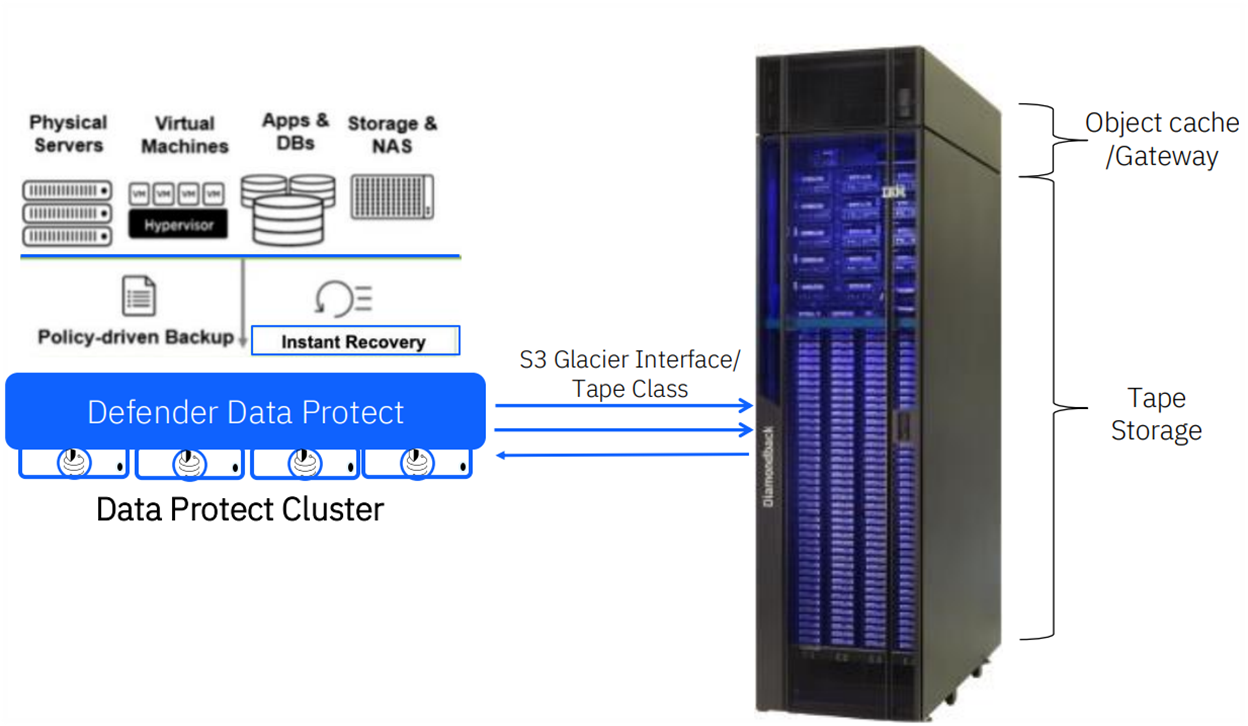
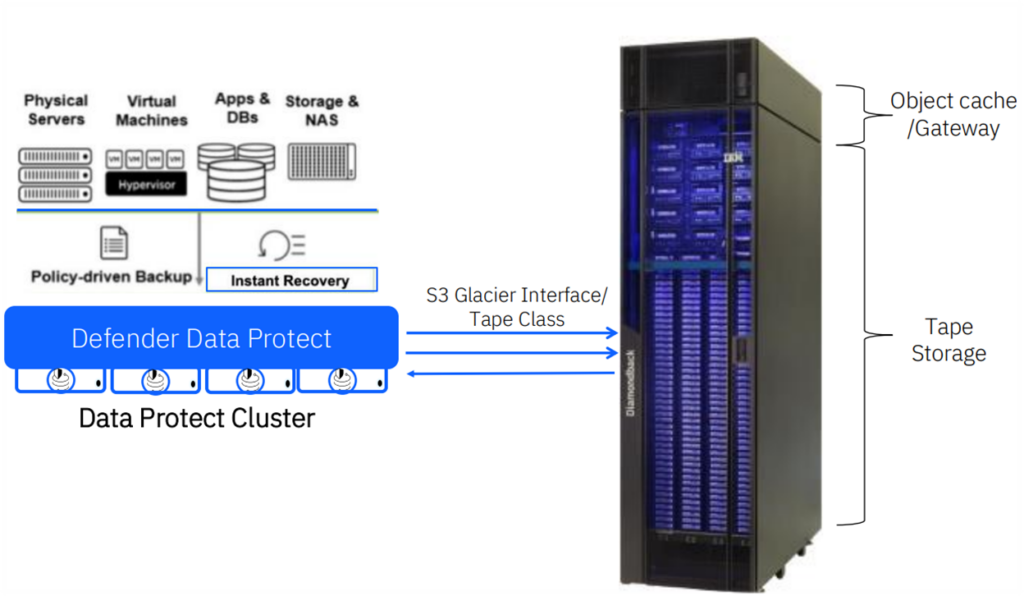
As shown below, this is the use case I set out to create and test. For environments with large volumes of backups requiring long-term retention, this approach is ideal. The Diamondback can reside in either a local or remote data center, without the need for additional backup software.
For the hardware part, I virtualized the Data Protect Nodes in our VMware ESXi environment, which are connected with 25G to our switch. However, the S3 Node from the Diamondback is connected with 10G as I didn’t have any spare QSFPs lying around. For testing the functionality it is perfectly fine. Today, only the standard configuration is available, which contains two S3 Nodes and one Ethernet switch with 40G/100G uplinks.
The backend storage is an FS5300, which is connected via 32G Fibre Channel to the ESXi hosts.
Below is a high-level overview of the architecture.
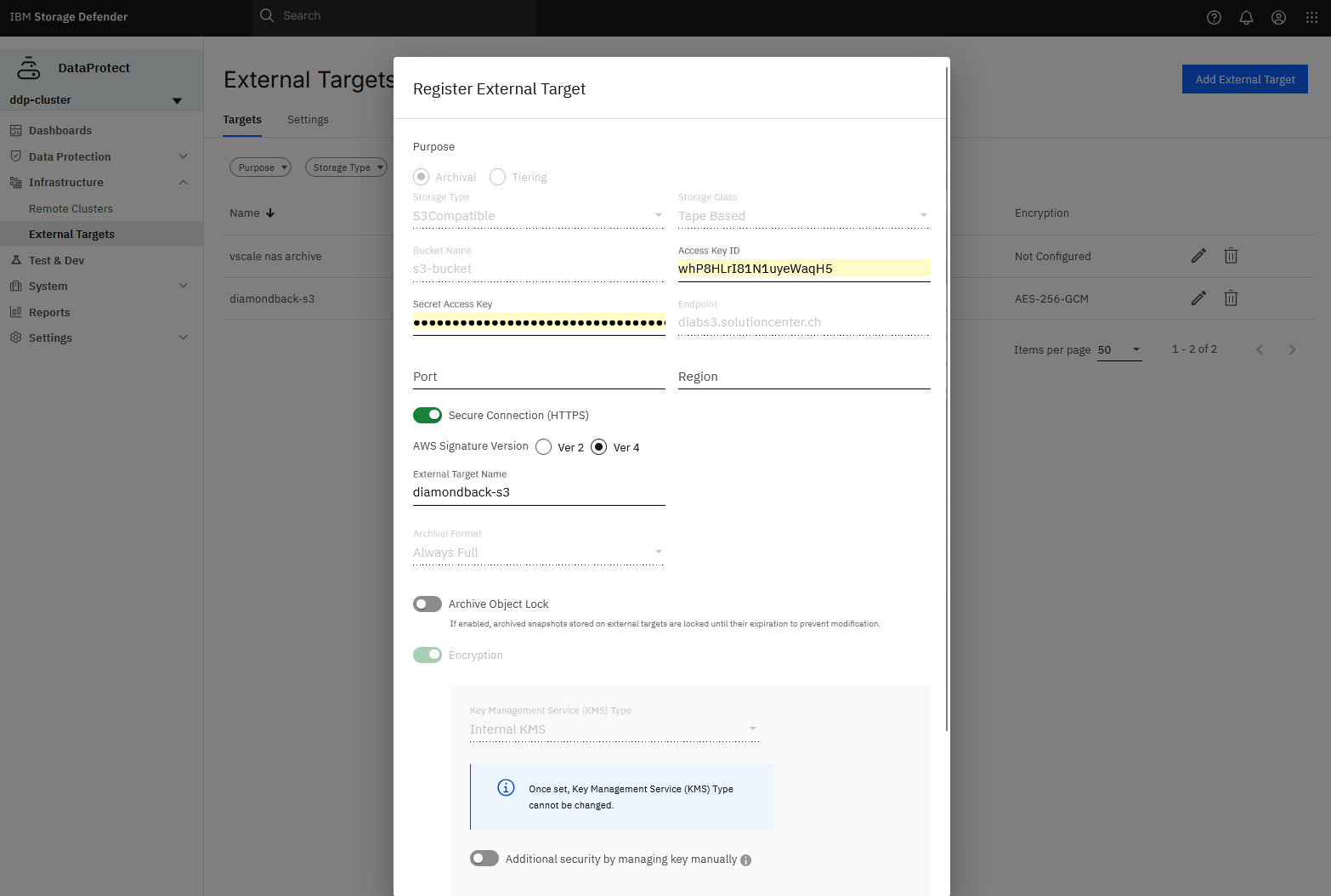
After setting up the user and bucket on the Deep Archive, connecting to it from Data Protect is fairly easy, as you can see below.
How to set up users and buckets can be seen here: Bucket Management
From here on we can create a back-up policy in Data Protect where we can add to existing or new Protection Groups.
In my case, I’m backing up three VMs with about 30GB of storage each. With the policy I defined, it first writes to disk (backup repo) on the Data Protect Cluster and then to the Cloud Archive, in this case, the Deep Archive.
The Tape Cloud Archive only works with Incremental Full Backups so it will copy all Data to tape. Normally Data Protect will back-up with Incremental forever to its repo.
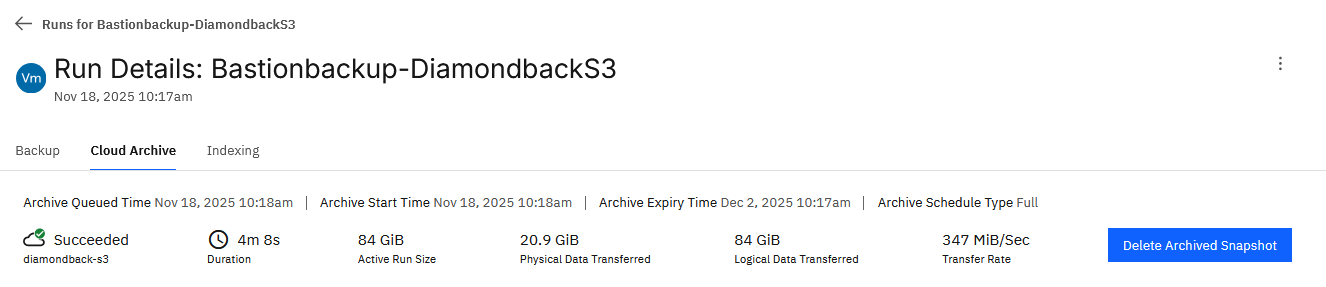
Below, we can see the successful run. I’m still investigating how to achieve faster speeds; however, when uploading data manually from a separate VM with AWS CLI, I can saturate the 10G link.
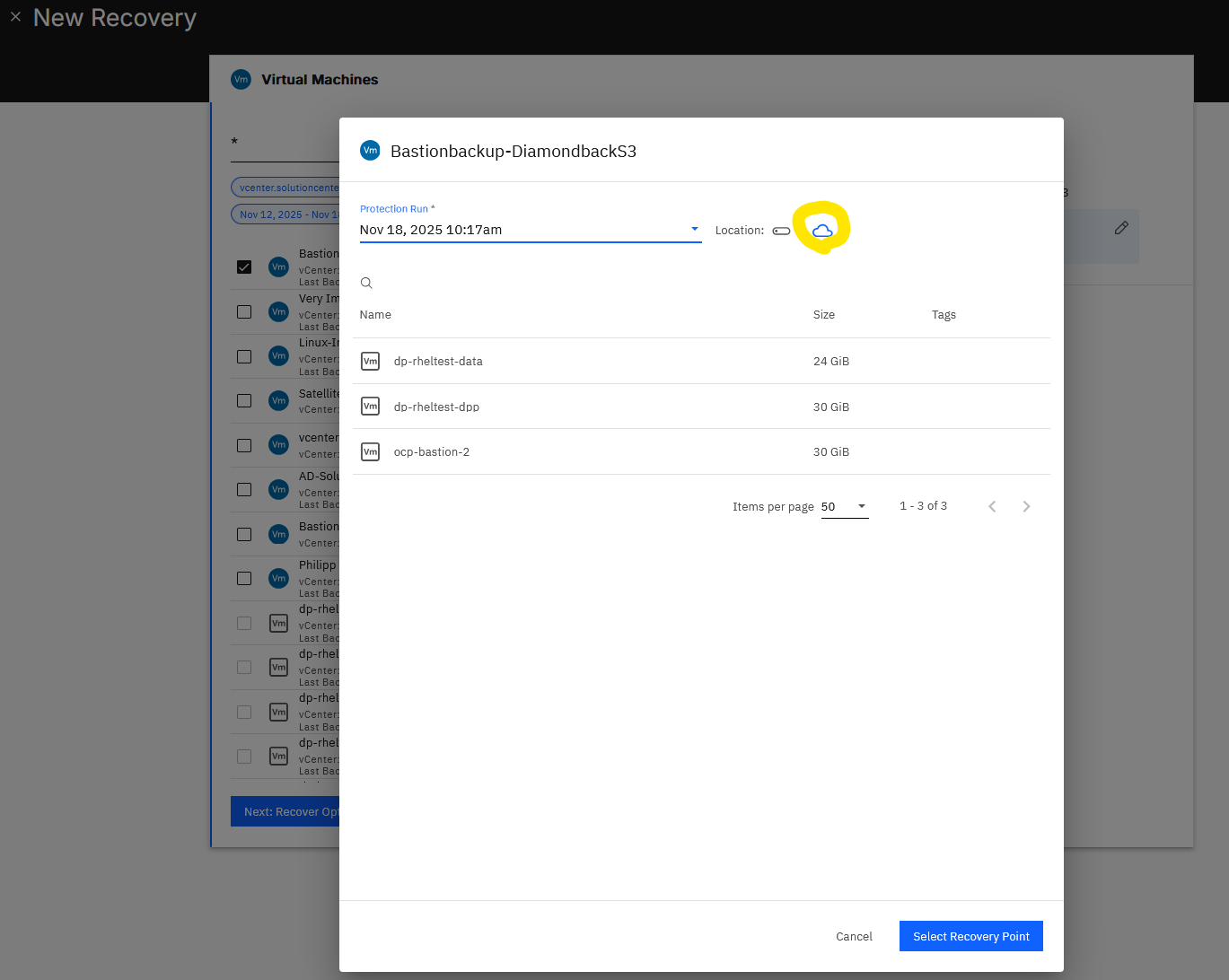
I can now test the new recovery point to see if the backups were actually successful.
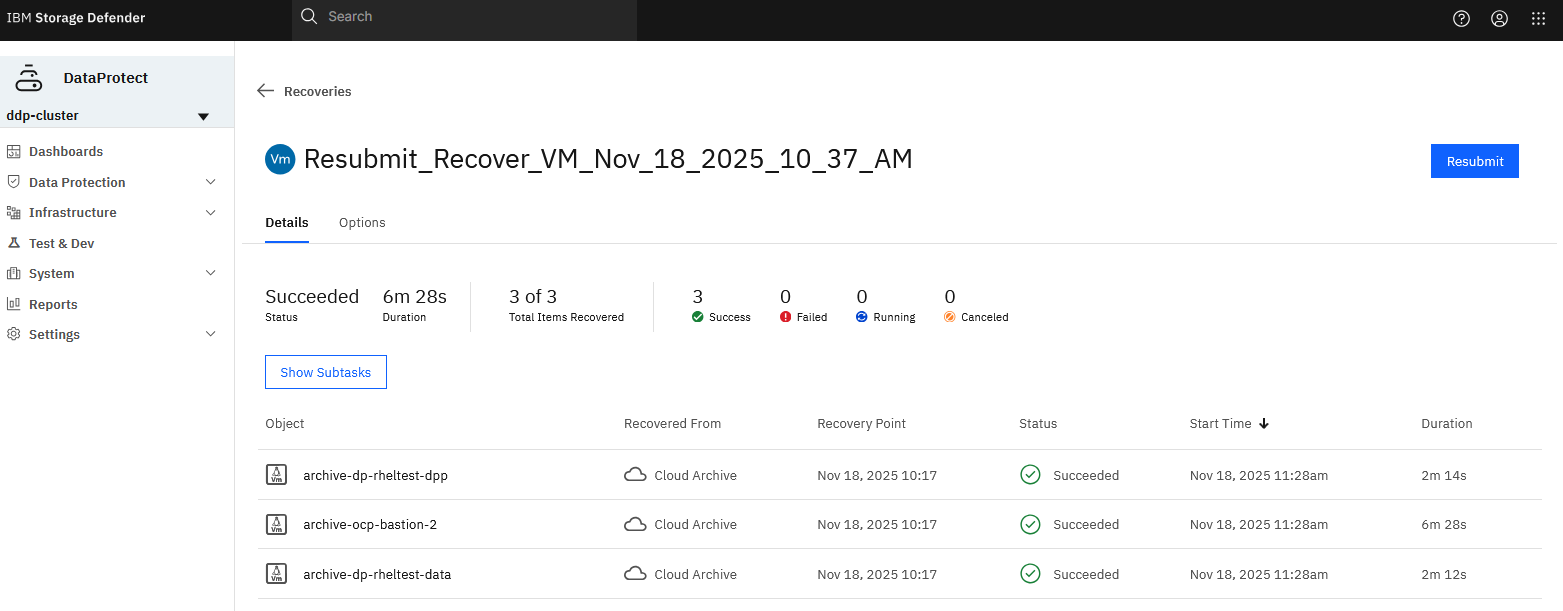
Which it did, and it recovered successfully in 6m 28s, as shown below.
If the data hasn’t been accessed for a while, the Diamondback will first have to load the data from the tape to the S3 Node. As the S3 Glacier protocol requires a restore request first, it only then can download the data. The Diamondback Deep Archive will prepare the data in less than 10 minutes! Compared to other cloud vendors where you can wait for up to 48 hours until it’s ready. Not even mentioning egress costs and throughput.
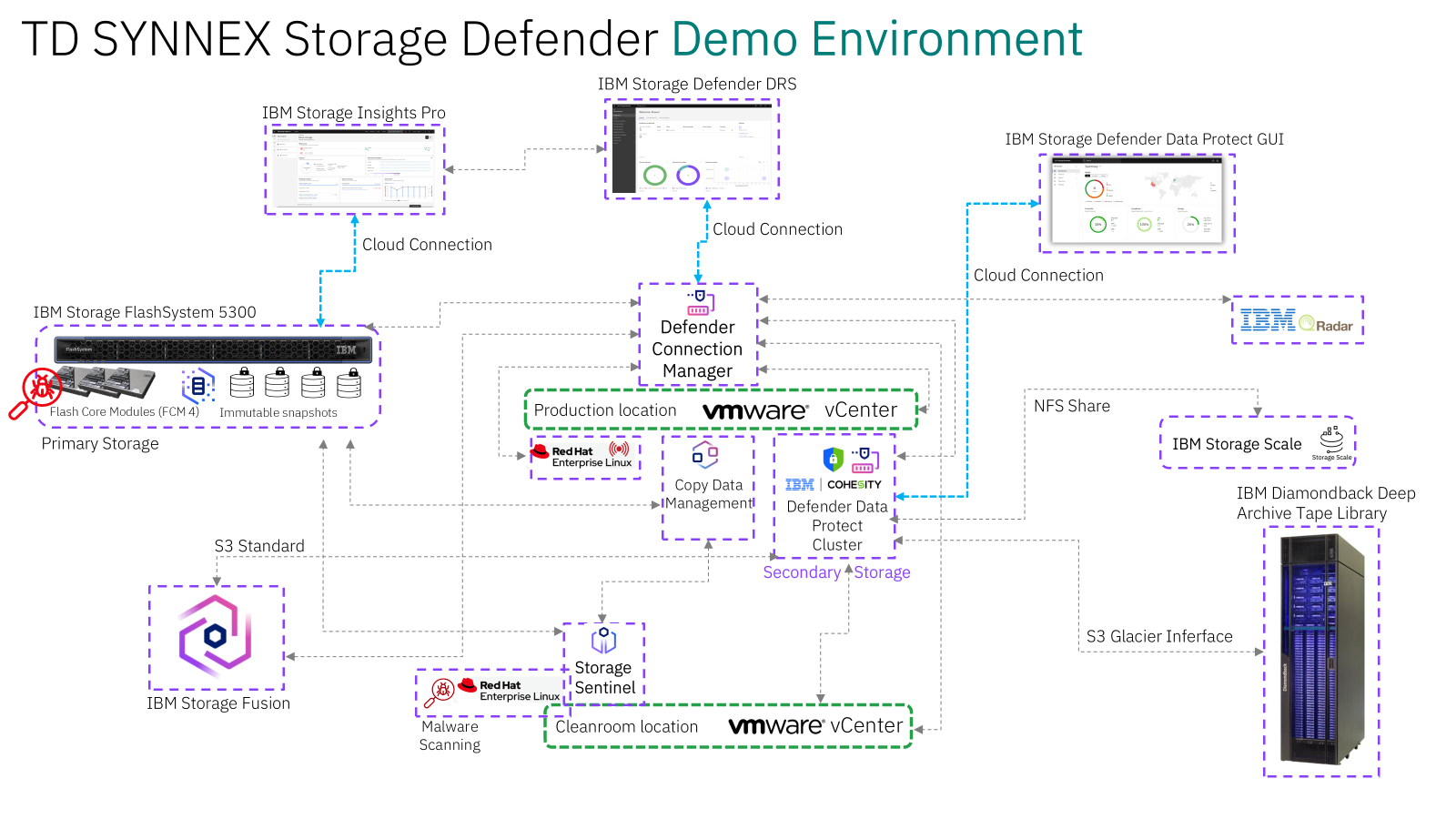
We also have many other possibilities for testing, as shown below.
If you liked this short Blog, let me know. I can create/post more insights on request.
Regards,
Shaun
Leave a Reply